Hotel Lobby AI Prompt: The Exact Text Our Generator Sends
A Hotel Lobby AI prompt has four jobs: pin each photo to one side, rebuild the orange booth with its single hanging microphone, make one person rap while the other hypes, and keep the camera still. The two prompts below are the exact text MigosAI (migosai.si) sends with every booth video: one for Wan 3.0, which keeps the Hotel Lobby recording, and one for Seedance, which writes a new rap. On the site you never type them; they run when you press Create.
Further down are five prompts for other image-to-video tools that take two photos and no reference clip: a couple, two friends, a grandparent with a grandchild, drawn characters and pets. We wrote those five for this page and have not rendered them, so treat them as a starting point.
Updated
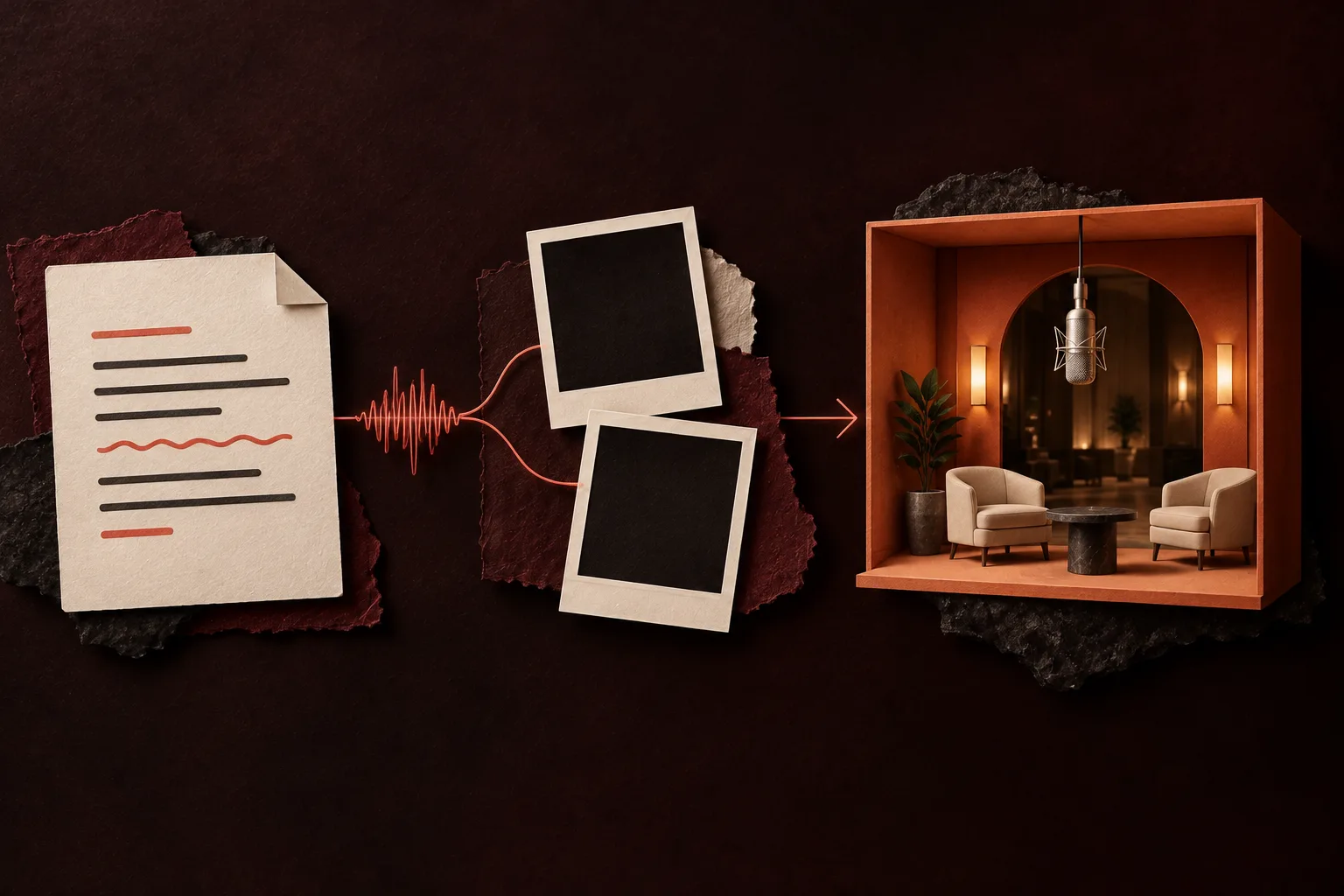
Prompt 1: Wan 3.0, keeping the Hotel Lobby track
Wan 3.0 gets four attachments, numbered in upload order: Image 1 (the left photo), Image 2 (the right photo), Video 1 (the Hotel Lobby reference clip, muted) and Audio 1 (the Hotel Lobby track, trimmed to the video length). Before the render, each photo is redrawn as a standing, full-body studio portrait of the same person or animal, which helps the model hold on to faces and bodies; you only ever see your own photo. The aspect ratio is not in the text. It goes to the model as a separate setting, so this one prompt serves 9:16, 16:9 and every other format.
Follow Video 1 from start to finish: copy its framing, its timing and every movement, gesture, head turn, facial expression and mouth shape, along with the plain orange background and the silver microphone hanging from the ceiling between the two performers. Keep the camera framing of Video 1: no push-in, no pull-back, no pan. Do not add any movement or scene element that is not in Video 1.

Use Audio 1 as the background music for the whole video, exactly as it is: it is the entire sound of the video. Do not write new lyrics, do not re-sing it, do not add other music or voices.

The performer on the left is the subject in Image 1; the performer on the right is the subject in Image 2. They completely replace the two people in Video 1: face, hair or fur, build and clothes all come from the photos, nothing from the people in Video 1. Neither performer wears gloves (unless already wearing them in the photo): people show their own hands, animals keep their own paws. Ignore the photo backgrounds.

The left performer raps the vocals of Audio 1 into the microphone, lips precisely in sync with Audio 1. The right performer follows the moves of the person on the right in Video 1: reacting and gesturing on the beat, mouthing only short ad-libs.

Orange fills the whole frame, with no black areas or dark corners. No split screen, no extra people, no captions or text on screen. Faces stay consistent from start to end.
Wan receives this in Chinese, the language its documentation uses for attachment names. What you see here is a sentence-for-sentence English translation of that text.
Prompt 2: Seedance, writing a new AI rap
Seedance models cannot keep a recording: they always generate their own vocals and beat. So in the booth the Hotel Lobby track goes up as reference audio 1 for rhythm only, and the prompt asks for a fresh beat in that groove with new words about the topic you typed (up to 120 characters are used). Attachments are named in words here (“reference image 1”). This copy is the vertical, 12-second version for the example topic “Maya’s 30th birthday and her terrible parallel parking”.
Use reference video 1 for the whole performance: copy its framing, timing and every movement, gesture, head turn, facial expression and mouth movement, the plain orange background and the single silver microphone hanging between the performers. Keep the camera framing of reference video 1: no zoom in, no zoom out, no pan. Do not add any movement or scene element that is not in reference video 1.

Performer on the left: the person in reference image 1. Performer on the right: the person in reference image 2. They replace the two people in reference video 1 completely: face, hair, body and clothes come from the photos, nothing from the people in reference video 1. If a photo shows none of a person's clothes (a face-only crop or bare shoulders), dress that person in plain everyday clothes that suit them, such as a simple T-shirt and jeans; never the costume, cape, coat, belts, gloves or blindfold of the people in reference video 1. Animals stay as they are, with no clothes added. Ignore the photo backgrounds.

Soundtrack: an original dark Atlanta trap song made for this video that follows reference audio 1 for its beat and rhythm: the same tempo, groove, drum pattern and bounce, timed to the moves in reference video 1. Make a new beat in that style with new lyrics; do not reuse the lyrics, melody or voices of reference audio 1. Sparse but hard-hitting: a thumping, gritty 808 that slides between notes, a piercing snare-clap with sharp hi-hats, and one eerie, Eastern-tinged melody loop. Dark, menacing, confident mood. The rap is a fast, bouncy triplet flow riding on top of the slow beat. Mix: vocals clear on top, the beat right behind them at nearly the same level, loud and punchy, never quiet and never dropping out between lines. The left performer raps an original, clean verse into the hanging microphone about: "Maya’s 30th birthday and her terrible parallel parking". Rap in the language of that topic. Clear rap vocals, lips in sync with every word, natural head nods and expressive mouth movement. The right performer is the hype partner, pointing at the rapper, reacting, smiling and adding short ad-libs on the beat. Do not use any existing song, existing lyrics or the voice of any real artist.

9:16. The orange fills the whole frame edge to edge, with no black or dark areas. No split screen, no extra people, no captions or text on screen. Faces stay consistent from start to end.
Why each paragraph is in the Wan prompt
| Paragraph | Its job | What goes wrong without it |
|---|---|---|
| 1. Follow Video 1 | Copies framing, timing, gestures, head turns, expressions and mouth shapes, plus the orange wall and the hanging mic; forbids zooms, pans and new scene elements | The model invents its own room or camera move, and dark bands creep in at the edges |
| 2. Use Audio 1 | Makes the track the only sound and bans rewriting or re-singing it | New music, extra voices or made-up words |
| 3. Who is who | Ties Image 1 to the left and Image 2 to the right, takes face, hair or fur, build and clothes from the photos, drops the photo backgrounds and rules out gloves unless the photo has them | Swapped sides, a face from the reference clip leaking in, or the original dancers’ gloves copied onto bare hands and paws |
| 4. The roles | The left performer raps Audio 1 in lip sync; the right one copies the hype partner and mouths only short ad-libs | Both mouths moving at once, or a partner who just stands there |
| 5. Guard rails | Orange from edge to edge, no split screen, no extra people, no captions, stable faces | Dark corners, a third person, burned-in subtitles, faces that drift mid-clip |
The wording is neutral on purpose. “The subject in Image 1” fits a grandmother, a toddler on a parent’s lap or a beagle without contradicting the photo, so the same text works for every pair.
Using these prompts in another AI video tool
- Check what the tool accepts. Prompt 1 needs two reference images, a reference video and a reference audio track, plus a model that plays the audio back unchanged. Many tools take photos only; for those, go to the five two-photo prompts below.
- Rename the attachments. Here they are numbered in upload order; some tools want tags like @Image1 or names of their own. Upload the left photo first either way.
- Set the format in the tool’s settings, not in the text: 9:16 for TikTok and Reels, 16:9 for YouTube.
- If the model writes its own music, the “keep Audio 1” line will not hold. Use the approach of Prompt 2 and ask for a new rap instead.
- Keep the negative lines. “No extra people”, “no captions” and “ignore the photo backgrounds” prevent most failed takes in any tool.
- Use a recording you have the right to use, and photos of people who agreed to be in the video.
- Some tools publish text-only prompts of their own. Dreamina (CapCut) has copy-paste Hotel Lobby prompts for two photos on Seedance 2.5 (checked October 6, 2026).
Five Hotel Lobby AI prompts for two photos and no reference clip
Most consumer image-to-video tools take photos and text, nothing else. Without a reference clip, the prompt has to describe the booth and the moves by itself. These five do that and keep the rules that make a clip read as Hotel Lobby: one subject per side, one microphone hanging between them, one lead and one hype partner, a camera that never moves. Each is set to 9:16 and 12 seconds; edit both in the text if your tool needs other values. Plan on a retry or two.
Hotel Lobby AI prompt for a couple
Vertical 9:16 video, 12 seconds, built from two reference photos. Left side: the person from image 1. Right side: the person from image 2. Show both from head to shoes and keep each face, hairstyle, outfit and height true to the photos. Scene: an empty studio painted solid orange, walls and floor the same shade, lit softly and evenly. A single silver studio microphone dangles on a thin cable from the ceiling, at mouth height, halfway between them. The couple performs a rap duet: the left partner leans into the microphone and raps with sure, rhythmic hand moves; the right partner grins, points at the rapper, bounces to the beat and leans in to share the mic for the final line. Static camera at chest height, one unbroken take, no zoom or pan. Nobody else in frame, no on-screen words, no logos.For two best friends (they swap halfway)
Vertical 9:16 video, 12 seconds, from two reference photos of two adult friends. The friend in image 1 stands on the left and the friend in image 2 on the right, both visible head to toe, each face, haircut, outfit and build matching the photos. Plain orange studio: an orange backdrop that curves into an orange floor, one silver microphone hanging from the ceiling between them. Seconds 0 to 6: the left friend takes the microphone and raps while the right friend nods, laughs and hypes with big arm moves. Seconds 6 to 12: they switch, the right friend takes the microphone and the left friend reacts. Each one moves in their own way, never as a mirror image. Locked camera, single continuous shot, soft even light, feet in frame. No extra people, no props, no captions, no logos.For a grandparent and a grandchild
Vertical 9:16 video, 12 seconds, from two reference photos. Image 1 shows a grandparent, who stands on the left; image 2 shows their adult grandchild, who stands on the right. Full-length view of both, with each face, hairstyle, outfit and height kept as in the photos. Setting: a bare orange studio with a single silver microphone hanging from the ceiling in the middle. The grandparent raps into the microphone with calm, steady, self-assured gestures and a small smile; the grandchild reacts with surprise, laughs, dances on the beat and leans in so they rap the last line together. Gentle, natural movement that suits each age. Fixed camera, one take, even studio light, no cuts, zoom or pan, nobody else in the shot, no on-screen text.For drawn or anime characters
Use characters you created or have the rights to. Famous characters belong to their owners.
Vertical 9:16 video, 12 seconds, from two reference images of original drawn characters. Character from image 1 on the left, character from image 2 on the right, both shown full figure. Keep each design exactly: line style, palette, proportions and clothing. Animate both in that same art style instead of turning them photo-real. They stand in a solid orange studio; a silver microphone dangles from the ceiling between them. The left character leans into it and raps with lively, exaggerated hand moves; the right character bobs on the beat, points and reacts with big expressions. Fixed camera, one continuous take, no cuts, zoom or pan. No other characters, no text, no logos.Hotel Lobby AI prompt for pets
Give each animal its own sharp photo with the whole body in view. For a pet next to its owner, change the right-hand animal in the text to “the person in image 2”. Cats and dogs were among the early viral clips, made with other tools (a roundup).
Vertical 9:16 video, 12 seconds, from two reference photos of animals. The animal in image 1 is on the left and the animal in image 2 is on the right, both standing upright on their back legs, seen from ears to paws. Keep each one’s breed, markings, fur color, eye color, size and collar exactly as photographed. Scene: an empty orange studio, a silver microphone dangling from the ceiling at head height between the two. The left animal opens and closes its mouth on the beat and gestures with its front paws like a rapper at the mic; the right animal nods, glances at the camera and sways to the beat. Realistic anatomy: four legs and one tail each, no human hands. One fixed shot without cuts. No people, no other animals, no text.On MigosAI you skip all of this: the prompt, the reference clip and the track are built in, and the pet rap video page opens the generator ready for a pet and its partner. Results with animals vary more than with people.
When the render looks wrong
| What you see | Probable reason | Try this |
|---|---|---|
| The face looks like a stranger | Profile shot, sunglasses, a heavy filter or a tiny face in a group photo | A front-facing, evenly lit photo, waist up or full body |
| Left and right are swapped | Photos uploaded in the wrong order, or a prompt that never names the sides | Upload the lead first and name both sides in the text |
| A third person shows up | The model kept someone from the reference clip or a photo background | Keep “ignore the photo backgrounds” and “no extra people” |
| Subtitles or random words on screen | The model added captions on its own | Keep “no captions or text on screen” |
| Mouth out of sync | No audio attached, or the cut starts on a pause | Attach the track and start the cut on a sung word |
| Dark edges around the orange | A zoom or pan that the reference clip does not have | Hold the framing and ask for orange from edge to edge |
| Brand-new music instead of the track | The model always writes its own soundtrack | Switch to a model that plays the reference track, such as Wan 3.0 |
Or let MigosAI handle the prompt
On MigosAI you add two photos (or one photo of you both with “One photo”), pick the sound in Soundtrack & moves and press Create. A 12-second Wan 3.0 video at 480p costs 6 credits, the smallest pack is 10 credits for $9.99, and a render usually takes about 5 to 15 minutes. There is no free trial. If a render fails, its credits return to your balance automatically.
Questions
Can I paste the Hotel Lobby AI prompt into ChatGPT?
A chat assistant can edit the text for you, but the video has to come from a video model. Paste Prompt 1 into a tool that takes reference images, a reference video and audio, or a two-photo prompt into an image-to-video tool.
Which model is the Hotel Lobby prompt written for?
Prompt 1 runs on Wan 3.0, which keeps the reference track. Prompt 2 runs on Seedance 2.0 Mini, 2.0 Fast, 2.0 and 2.5, which write their own rap. Other models may need different attachment names and may not accept audio at all.
What language is the prompt in?
MigosAI sends Wan 3.0 a Chinese original and Seedance the English text. The English Wan prompt on this page is an exact translation, so it works as written in tools that read English.
Is there a Hotel Lobby AI prompt for a dog or a cat?
Yes, the pet prompt above: one photo per animal, each tied to a side, standing on its back legs with realistic anatomy. On MigosAI no prompt is needed; the pet rap video page sets up the generator for a pet.
Do the two-photo prompts keep the original Hotel Lobby song?
No. Without a reference track, the tool decides the sound, if it makes any. Add a song you have the rights to in your editor, or use a tool that accepts reference audio.
Do I need to write a prompt on MigosAI?
No. The prompt is built in. The only text you ever type is an optional rap topic for a Seedance model, up to 120 characters, in any language.
Sources
Read next
How to Do the Hotel Lobby Trend (Migos AI), Step by Step
Step by step, three ways to do the Hotel Lobby (Migos AI) trend: two photos on MigosAI, another AI app, or editing by hand, with costs, wait times, pros and cons
Best Photos for Hotel Lobby AI: What to Upload
A photo guide for the booth: the upload rules, what helps a face carry through, how the full-body redraw treats your picture, and fixes for awkward photos
Hotel Lobby AI With Your Own Moves: Reference Clip Guide
Film it, trim it, upload it as Your clip: how a reference video steers the performance, which sound plays, what it costs and where it falls short
Best Hotel Lobby AI Video Generators (Checked Oct 2026)
Fourteen Hotel Lobby AI video generators compared from their own pages on October 6, 2026, MigosAI included: how each works, the sound, the cheapest video and what is free
MigosAI is an independent tool, not affiliated with Migos, Quavo, Takeoff, Offset, Quality Control Music, Motown or COLORS.